
Me Clock widget 2 - Analog & D4.0 - Google Play
You'll be able to see results in few seconds.
Publisher Description
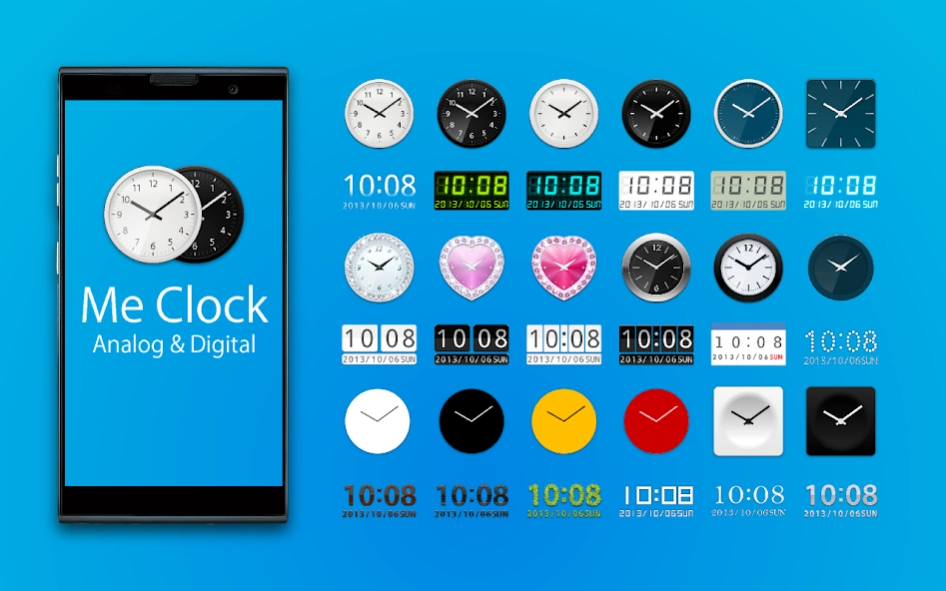
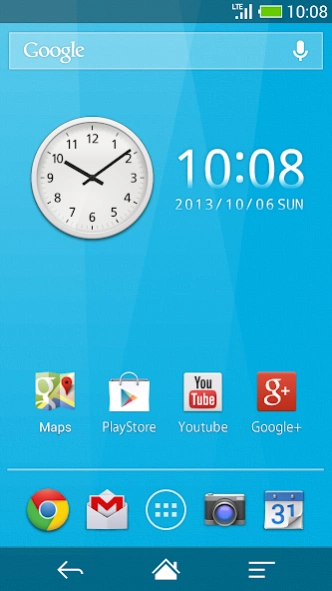

Thank you. It's made in Japan clock widget. All free and no ads!
How to use:
1. Download "Me Clock" .
2. Long press on an empty region of your home screen.
3. Add "Me Clock Widget" from your widget list.
4. Select clock skin from the list.
5. The widget will appear in your home screen.
< Remove the widget from the home >
1. Long press the widget.
2. The widget drag and drop to the trash on the home.
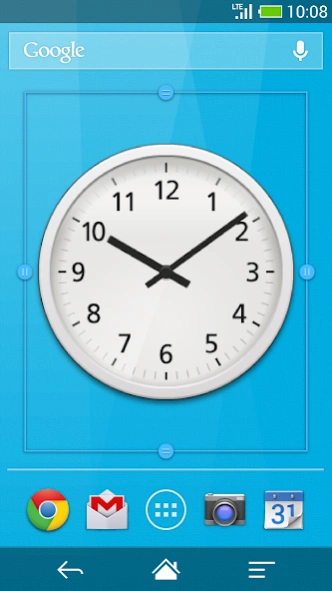
< Re-sizing the widget (Android3.1+ and Go Launcher) >
1. Long press the widget.
2. You will see four dots popup and a line bordering the widget’s area.
3. Drag the dots to their desired position for what size you would like then release.
4. Press the back key.
< Launch application >
1. Tap the widget and open "Me Clock Widget" setting menu.
2. Select " Tap to open application "
3. Choose application from the list.
4. Press the back key and menu closed.
5. Launch application when tap the widget on next time.
< Change displayed 12h/24h >
1. Tap the widget and open "Me Clock Widget" setting menu.
2. Check the " 24h "
3. Press the back key and menu closed.
< Change displayed date format >
1. Tap the widget and open "Me Clock Widget" setting menu.
2. Tap the " Date Format "
3. Select format on the list.
4. Press the back key and menu closed.
FAQ :
Q : Clock disappeared after the update
A : There is a possibility that clock widget that is disposed is transparent. After you throw away and hold to the trash to the location to which you put the clock widget, please place again.
Q : Don't work tap the application shortcut from the home.
A : Please to use from the widget list. And no problem remove the shortcut from the home.
Q : I want to change setting after launch application setting.
A : Once remove the widget and put on widget again.
Q : Does it communicate frequently?
A : Only when you view the watch list, it is communicating to update the clock skins list.
If there are no updates to the list, because it uses the cache, traffic is small.
It does not do the communication in the background otherwise.
Q : Use meny process? Use meny battery power?
A : This widget have no ads. The battery use and process use a minimum.
Features:
- Design skins many themes.(Analog clock, Digital clock, Simple, Cool, and Elegant)
- Support scaling adjustment of the widget size. (Android3.1+)
- Launch Application by tapping the clock widget.
- 24-hour format supported.(AM/PM)
- Date format supported.
- Lock screen widget.(Android4.2+)
- No ads.
From the team:
Thank you for using, Please rate it , and send me feedback.
Thank you.
About Me Clock widget 2 - Analog & D
The company that develops Me Clock widget 2 - Analog & D is Android_media. The latest version released by its developer is 4.0.
To install Me Clock widget 2 - Analog & D on your Android device, just click the green Continue To App button above to start the installation process. The app is listed on our website since 2017-03-13 and was downloaded 0 times. We have already checked if the download link is safe, however for your own protection we recommend that you scan the downloaded app with your antivirus. Your antivirus may detect the Me Clock widget 2 - Analog & D as malware as malware if the download link to jp.androidmedia.mcw02 is broken.
How to install Me Clock widget 2 - Analog & D on your Android device:
- Click on the Continue To App button on our website. This will redirect you to Google Play.
- Once the Me Clock widget 2 - Analog & D is shown in the Google Play listing of your Android device, you can start its download and installation. Tap on the Install button located below the search bar and to the right of the app icon.
- A pop-up window with the permissions required by Me Clock widget 2 - Analog & D will be shown. Click on Accept to continue the process.
- Me Clock widget 2 - Analog & D will be downloaded onto your device, displaying a progress. Once the download completes, the installation will start and you'll get a notification after the installation is finished.
Program Details
System requirements
Download information
Pricing
Version History
version 4.0
posted on 2017-03-14
Disclaimer
Official Google Play Link
We do not host Me Clock widget 2 - Analog & D on our servers. We did not scan it for viruses, adware, spyware or other type of malware. This app is hosted by Google and passed their terms and conditions to be listed there. We recommend caution when installing it.
The Google Play link for Me Clock widget 2 - Analog & D is provided to you by apps112.com without any warranties, representations or guarantees of any kind, so access it at your own risk.
If you have questions regarding this particular app contact the publisher directly. For questions about the functionalities of apps112.com contact us.
